Bank Statement Analysis
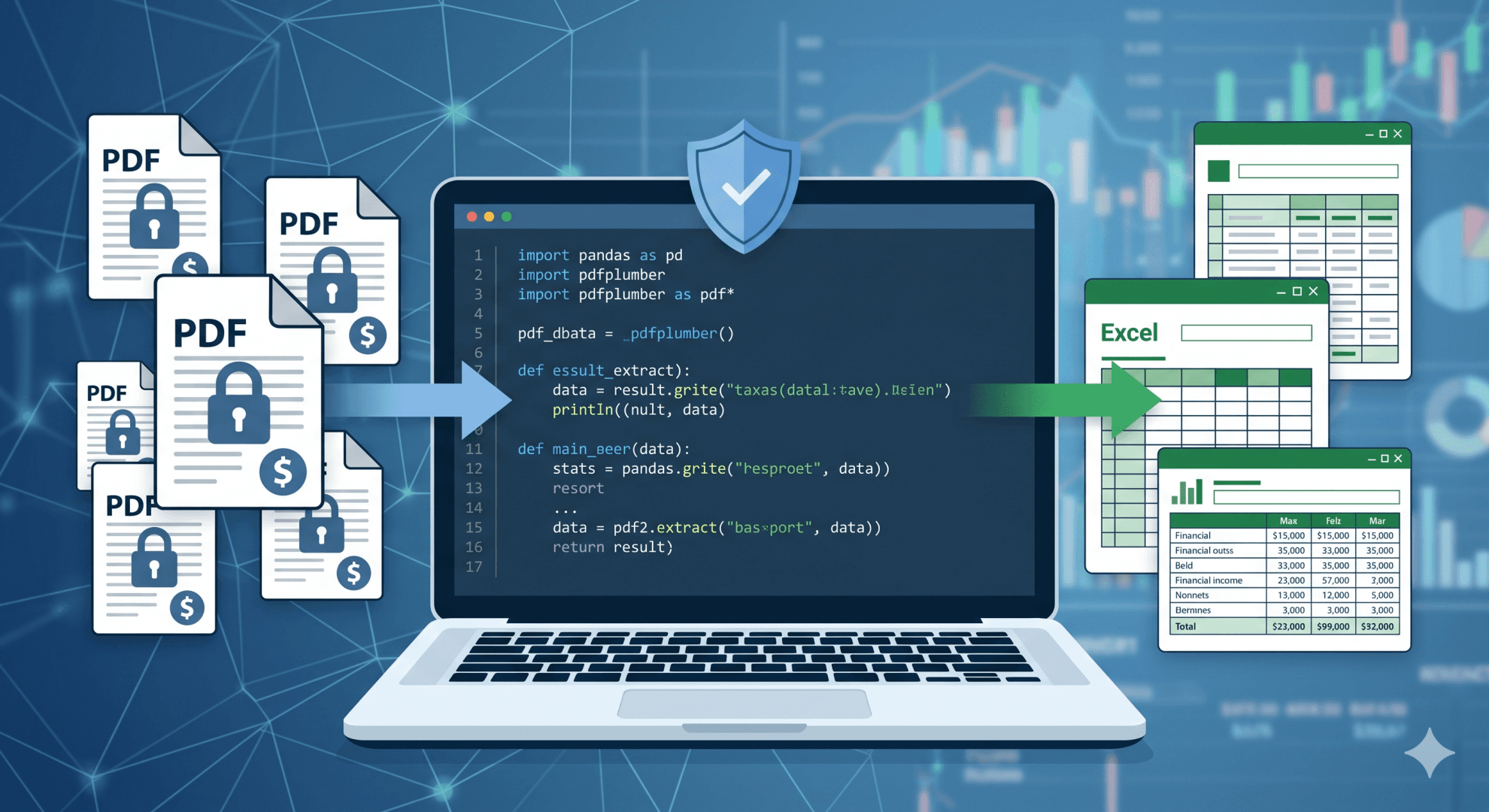
As public sector professionals—particularly those working in auditing, compliance, and financial investigation—it is undeniable that we frequently deal with bank statement analysis. To simplify this process, we often rely on Microsoft Excel or other analytical tools. Unfortunately, the bank statements we receive are rarely formatted as Excel files; they are almost exclusively in PDF format. Therefore, a specific method is required to analyze this PDF data or, at the very least, convert it into Excel for further review.
This article will explain the steps to convert PDF bank statements into Excel format.
Warning: Do not simply use ChatGPT or similar AI tools to process this data. The documents you upload often become the property of the AI developer. Doing so violates personal data security guidelines and risks leaking the sensitive financial information of auditees or investigated parties.
To clarify, tools like ChatGPT utilize a machine learning method known as Reinforcement Learning. As part of their model development process, the data inputted by users is often reused to train and improve the existing model (Source: How your data is used to improve model performance, OpenAI). You must ensure that the sensitive information contained in a bank statement is not exposed by being absorbed into a machine learning model. Furthermore, related Terms and Conditions explicitly state that these companies may use uploaded data to provide, maintain, develop, and improve their services. Therefore, as public officials, we must guarantee we do not invite future legal liabilities by violating data privacy protocols.
So, what is the solution if we cannot use AI to analyze bank statements?
One of the best methods is to analyze the data using Python. You will need basic to intermediate Python skills, as well as an understanding of Regular Expressions (Regex). If you are not yet familiar with Regex, you may use AI safely only to help write the Regex script itself—never to process the raw data. For instance, you can see an example prompt used in Claude to generate a Regex script in Figure 1. To learn Python, you can explore various online data analytics training programs.
For this analysis, you will need a few standard libraries:
- pdfplumber: For extracting data from PDF files.
- pandas: For tabular data analysis.
A quick disclaimer: The data processed with Python should ideally originate directly from Internet Banking or Mobile Banking portals, not from physically printed and scanned documents. If you attempt to analyze scanned results, the data structure will be highly difficult to parse due to inconsistent scan quality.
While this article will not cover the coding process in granular detail, it outlines the general steps necessary for bank statement analysis.
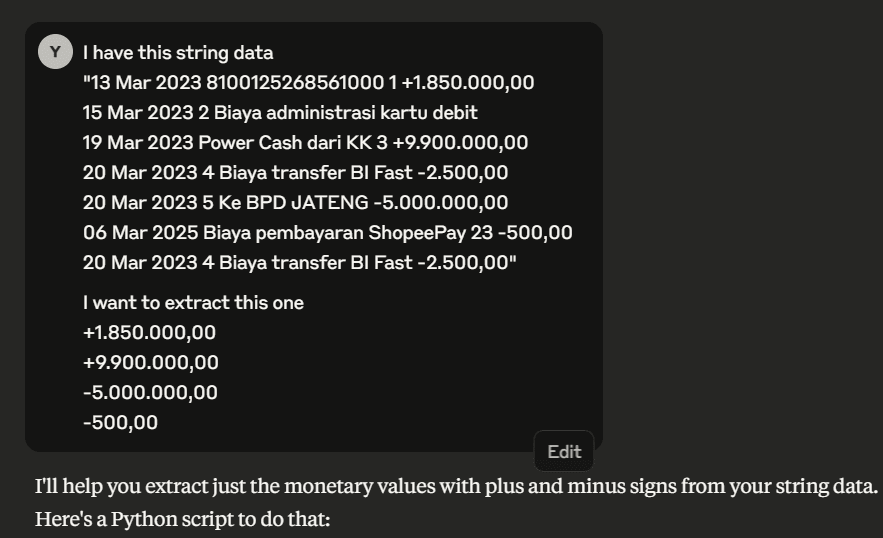
(Figure 1: Example prompt for creating Regex in Python)
Before manipulating data with Python, we must first understand the structural layout of a standard bank statement. Generally, a bank statement consists of three sections: the header, the main body, and the footer.
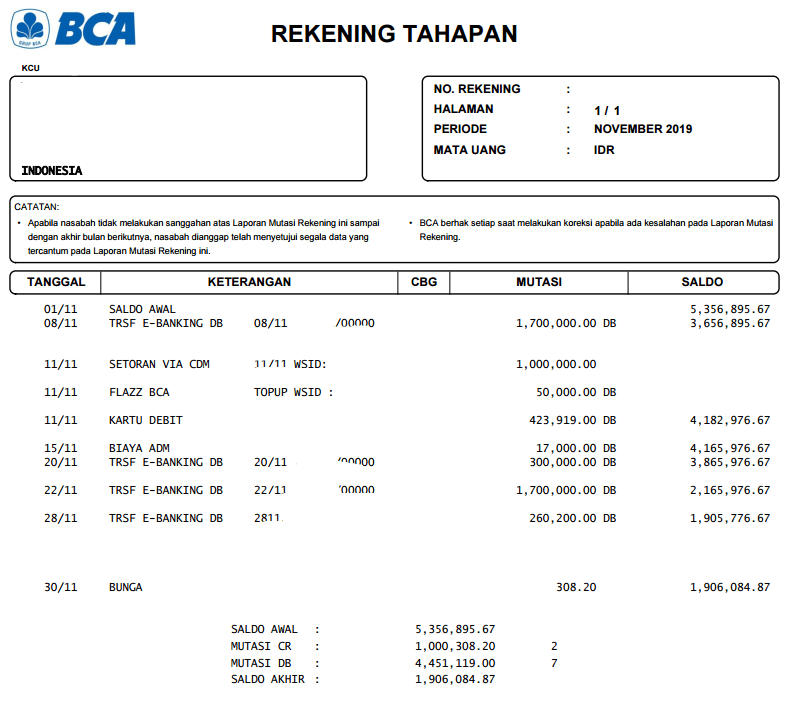
(Figure 2: Example of a BCA Bank Statement)
During an audit, usually, only the "main body" is required, as it contains all the transactional data. Within this main body, several vital pieces of information must be extracted to Excel:
- Transaction date
- Debit or credit status
- Transaction amount
- Post-transaction balance
- Additional descriptions/remarks
Here are the step-by-step instructions for converting this data into Excel:
- Merge the data: Bank statements are usually provided on a monthly basis. First, combine them chronologically into a single yearly PDF file. Ensure any passwords protecting the PDF are removed.
- Read the PDF: Input the file to be read line-by-line using pdfplumber.
- Convert to DataFrame: To make it easier to read and manipulate, convert the data into a pandas DataFrame.
- Clean the layout: Remove the unused header, footer, and any other irrelevant sections by observing the data structure.
- Analyze the structure: Review the resulting data structure to determine if any bank-specific adjustments are needed.
- Extract via Regex: Use Regex analysis to extract the date, debit/credit status, transaction amount, balance, and any other necessary information.
- Format data types: Ensure you convert specific data into their proper formats (e.g., converting dates into datetime formats, and debits/credits into decimals).
- Extract remarks: If necessary, process the transaction descriptions, as they often contain valuable information for further investigation.
- Export to Excel: Convert the final pandas DataFrame into an Excel file. The team can now use this clean data for advanced analysis.
For context, we can look at BCA (Bank Central Asia) statements as an example. While the general steps remain the same across institutions, BCA has an interesting quirk: the statement structure for 2025 differs from 2024 and earlier. Additionally, the ending balance is only displayed once per day. If there are multiple transactions in a single day, the total mutation is summarized on one line. Other banks will have different formatting rules. For example, Mandiri statements require line-by-line adjustment because a single transaction record spans multiple rows.
(Example Python code for extracting BCA data to Excel can be accessed via this GitHub link)
There is no perfect analytical model. Therefore, the results of the Python-to-Excel conversion should always be manually reviewed, as technical parsing errors can occur.
In conclusion, you should never use ChatGPT or other public AI models to analyze bank statements due to the high risk of leaking confidential information. A secure and highly effective alternative is converting the data yourself using Python, specific libraries, and Regex analysis. By doing so, we safeguard the financial privacy of auditees while streamlining our investigative workflows.
Key Features
- Read bank statement
- Convert to excel